A PDF becomes a menu.
Names and prices become a sample you can review on your phone.
Review names, prices and illustrative photos.
VORA makes your menu easy to explore on the phone: one dish per screen, big photos, allergens a tap away. Guests open it from a QR code on the table. No app, no sign-up.


And on a phone, most menus are working against you.

A PDF made for print is tiny on a phone. Guests skim and pick what they already know.
Give guests a closer look at your specials and desserts before they choose.

Allergen questions slow your staff down at the busiest moment, and mistakes are costly.
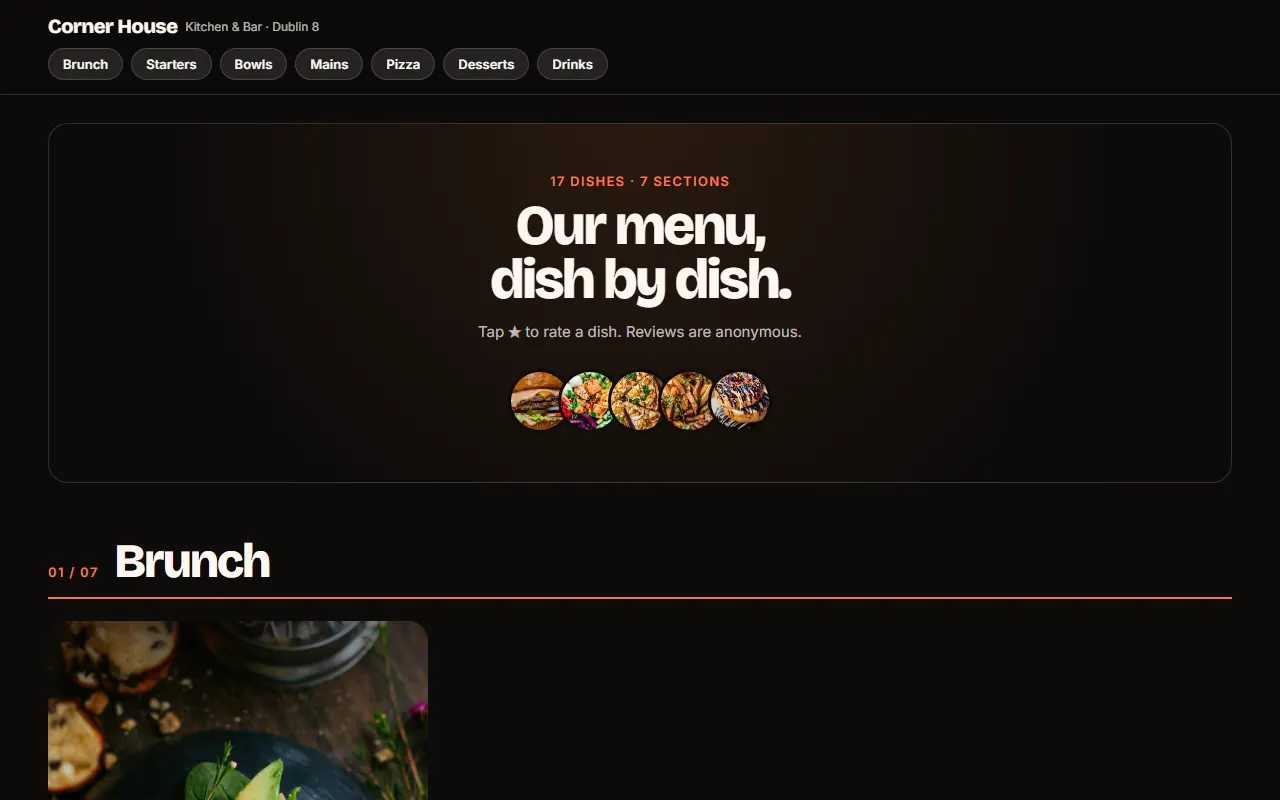
At the table it scrolls like Reels. At home, guests planning a visit see every dish in a clean grid.
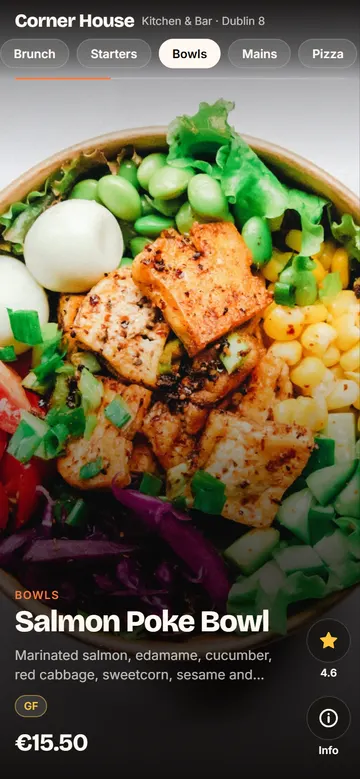
Swipe up for the next dish, like Reels. Every dish gets the spotlight, including the ones you want to sell more.
Show the allergen information supplied by your kitchen beside each dish. Guests should still speak to your team about allergies.
Guests can rate dishes anonymously and see dish ratings as they browse.
Cocktails, sides and the wine list with glass and bottle prices, in the same menu.
New special or a price change? Message us and we update it. Prefer to do it yourself? Change it in your own editor. No reprinting, and the QR code never changes.
No app for guests, no system for your staff, no change in the kitchen. Just a link and a QR code.
Start with the menu. Switch on the order list whenever you want.
A menu guests enjoy browsing at the table.
Everything in Menu, plus a list guests build themselves.
Your full menu as a PDF, photos of the printed menu or your website, plus your dish photos and allergen guide.
We build your menu and send you a link to try on your phone. Tell us what to change.
We send the QR code ready to print. Later changes? Message us, or make them yourself in your editor.
Point your phone's camera at the code. This is exactly what your guests would see.
Or open the demo hereFrom your existing menu to a link your guests can open. Explore each step.
Names and prices become a sample you can review on your phone.
A QR code takes guests straight to the menu. No app to install.
Review your changes, then publish them to the same menu link.
Illustrative walkthroughs using the demo interface. Example prices and photos are not a restaurant's published menu. You review your preview before publishing.
See your own menu first, free. If you like it, keep it with a simple monthly or yearly plan.
Billed monthly. Cancel any time.
Free setup. No joining fee.
The preview with your menu is free, with no commitment and no card. If you want to keep it, it's €350 a year or €35 month to month, with unlimited changes. Setup is free, with no joining fee. No contract: cancel any time.
No. The menu opens in the phone's browser from a QR code or a link. Nothing to install, no account.
Your full menu (a PDF, photos of the printed menu or a link), your dish photos and your allergen guide. We build the menu from them, and you check it before it goes live.
From your own allergen guide. We never guess: if a dish isn't in your guide, the menu asks guests to check with your staff.
Your menu uses the photos you send us. No good photos yet? We can arrange a photo shoot in Ireland and in Rio de Janeiro, price on request. In other Brazilian states it's quoted separately.
No payments. The optional order list helps guests choose and adds up the total, then they show it to your staff, who take the order as usual.
Send us a message and we update the live menu. If you prefer, you can also change it yourself in your own editor. The QR code on your tables never changes.
Open app.vora.company/editor (or tap Sign in at the top of this page) and use the access link we emailed you. Lost it? Email support@vora.company from the address you signed up with and we'll send you a new one.
Write to support@vora.company with your restaurant's name and what you need. We reply by email.
In your editor: Restaurant → Plan & billing. There's no contract, and your menu stays online until the end of the period you've paid for.
Paste your menu link to try a free sample with clearly labelled illustrative images. Prefer a hand? Email us your menu.
VORA is a digital menu platform for restaurants. It turns an existing menu into pages with photos, descriptions, prices and allergen information supplied by the kitchen. Guests open it through a QR code or link, without installing an app. The optional order list helps guests choose; it does not process order payments.